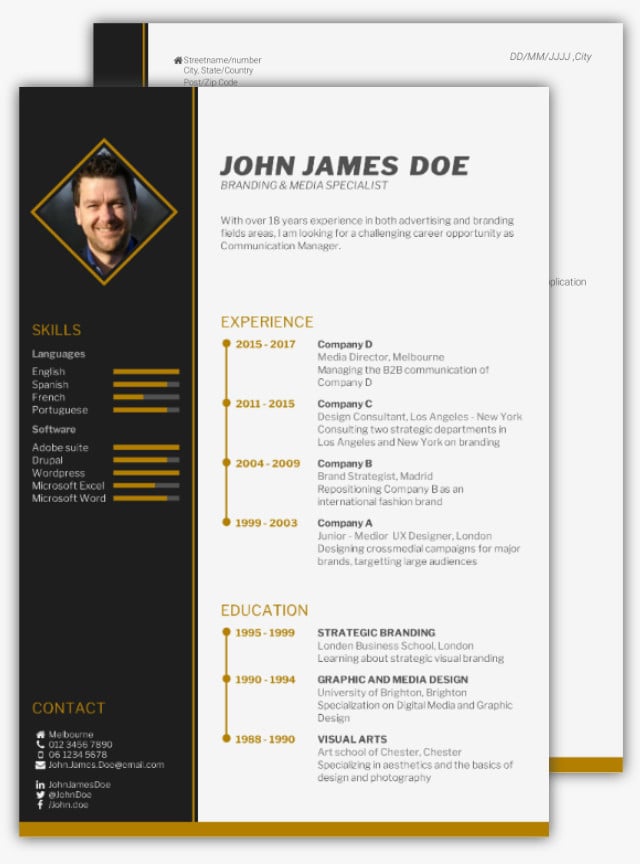
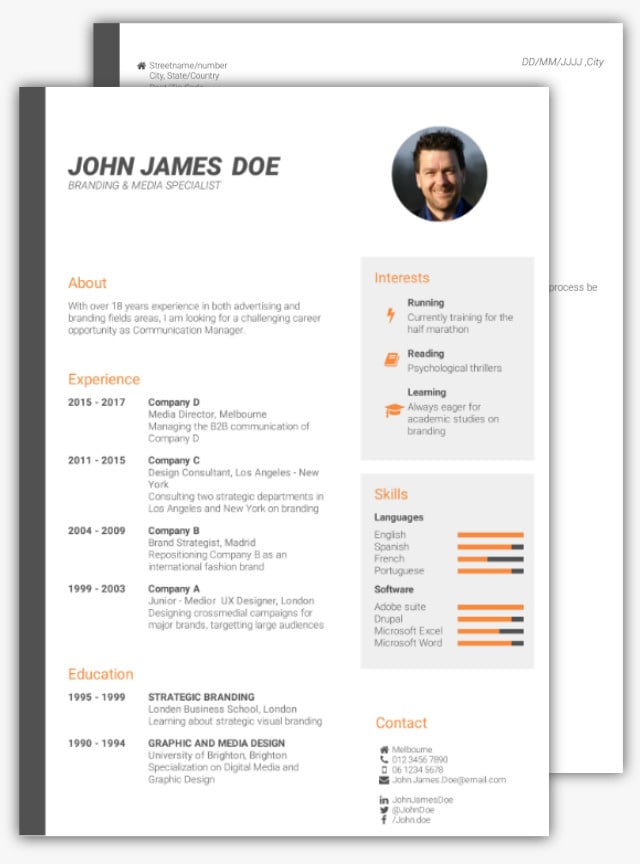
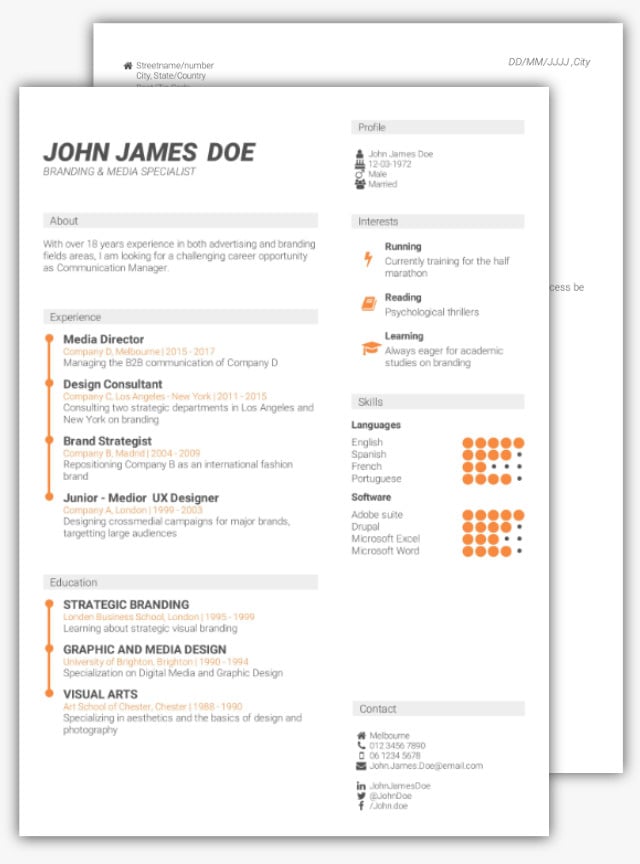
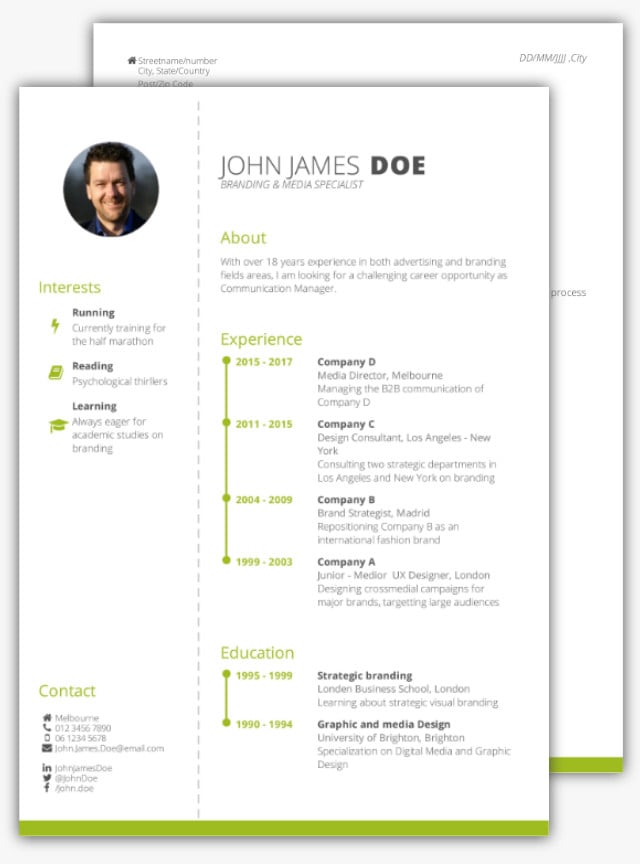
The Best CV Design and Builder Tool in 2026: An Expert Review of Letswork
Choosing the right CV builder in 2026 is no longer just about filling in forms and downloading a PDF. Today’s job market demands clarity, visual structure and adaptability across industries and countries. While many CV and résumé builders focus on speed or AI-generated text, fewer platforms prioritise how a CV behaves visually across pages, languages and layouts.
This review takes a closer look at Letswork, a design-focused CV builder that combines a true WYSIWYG editor with structured layout intelligence and multilingual support. We examine how it works, where it stands in comparison to other well-known tools, and who it is best suited for.
Why CV Design Still Matters in 2026
Recruiters often scan a CV in under a minute before deciding whether to continue reading. Structure, spacing and visual hierarchy directly influence that first impression. Even strong content can lose impact if sections break awkwardly across pages or if layout inconsistencies distract from key achievements.
Many builders rely on rigid template systems. These can be efficient, but they do not always give users intuitive control over layout behaviour. On the other end of the spectrum, general design platforms allow extensive visual freedom but are not always tailored to CV structure or applicant tracking systems.
This gap between structure and flexibility is where Letswork positions itself.
What Is Letswork?
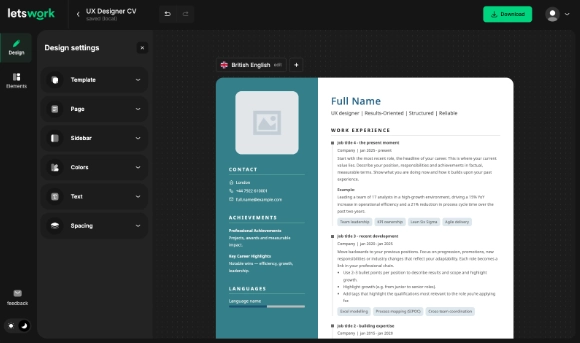
Letswork is a web-based CV builder designed around live editing and structural consistency. Instead of filling in disconnected fields and previewing results afterwards, users edit the document directly within a real-time visual interface.
In simple terms, it functions like a word processor combined with a controlled design system. The result is a CV builder that prioritises:
- True live editing
- Structured layout behaviour
- Safe visual customisation
- Multilingual and RTL support
- Recruiter-friendly export
This combination is still relatively uncommon in the CV builder market.
Core Design Features That Set Letswork Apart
1. True WYSIWYG Editing
The most distinctive feature of Letswork is its live WYSIWYG editor. Every change is visible instantly within the final layout. You are not entering text into abstract fields. You are editing the document itself.
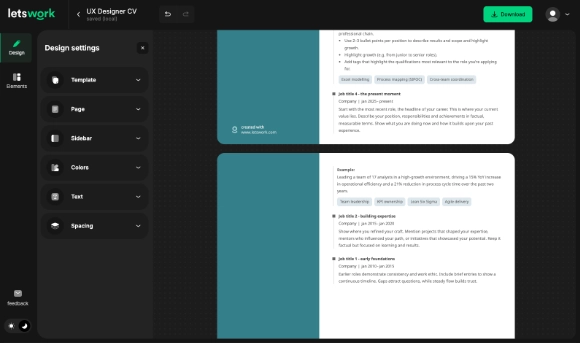
Timeline entries, headings and descriptions flow naturally onto the next page when needed. Rather than pushing entire blocks forward, content continues logically. This helps preserve narrative continuity and reduces awkward white space.
For professionals who care about layout precision, this behaviour is significant.
2. Design Flexibility Without Breaking the Template
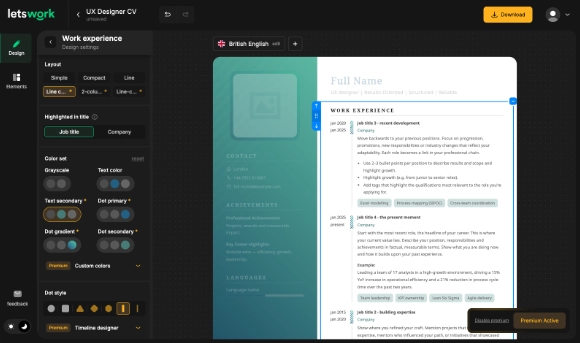
Letswork offers over fifty free design customisation options. These include adjustments to spacing, typography, section emphasis and structural elements. Importantly, these options are curated so that users cannot easily damage the overall design.
This differs from many builders where deeper customisation requires premium upgrades or manual layout adjustments that can create inconsistencies.
Premium subscribers gain access to 100+ more options, including granular colour palette controls and visual patterns. However, even the free plan allows meaningful design refinement.
3. Advanced Visual Controls
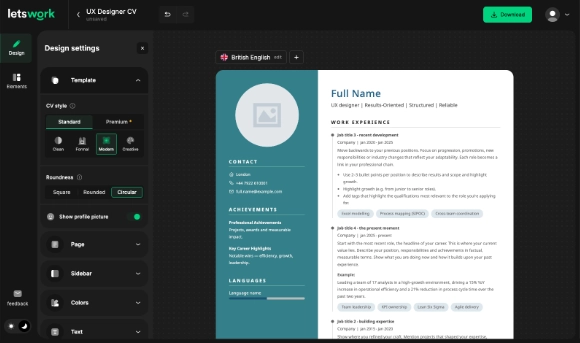
A particularly distinctive feature is global roundness control. Users can adjust the curvature of elements such as:
- Profile image framing
- Timeline markers
- Icon backgrounds
- Tag styling
- Visual highlights
This allows subtle tailoring of visual tone, from formal and structured to softer and more contemporary. Few mainstream CV builders provide this level of unified design control.
4. Automatic Spacing and Alignment
Whitespace management is often underestimated in CV creation. Uneven spacing and misaligned sections can undermine professionalism.
Letswork automatically synchronises spacing and alignment while still allowing users to choose paragraph density. The system keeps layouts balanced without requiring manual dragging or pixel adjustments.
5. Timeline Tags for Contextual Highlighting
Letswork’s timeline system allows tags to be added to individual roles. These tags can highlight skills, certifications or strengths directly within the experience section.
For recruiters scanning quickly, this provides contextual reinforcement of competencies without requiring a separate skills section to carry all emphasis.
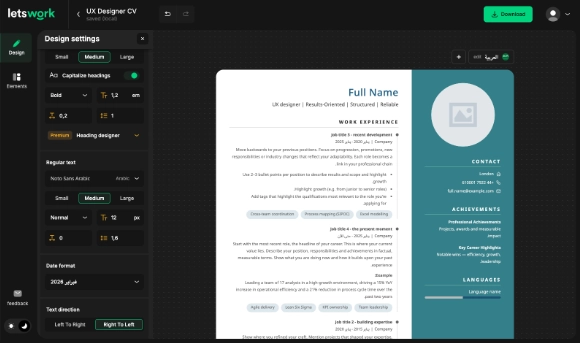
6. Extensive Multilingual and RTL Support
Global professionals increasingly require CVs tailored to different markets. Letswork supports more than 150 languages and 21 character sets, and automatically activates right-to-left layout when required for languages such as Arabic, Hebrew or Urdu.
The platform adjusts character sets and layout direction intelligently. Sidebars reposition automatically where appropriate. This makes it particularly relevant for users applying across regions.
Many widely used CV builders offer multiple languages. However, comprehensive RTL behaviour combined with structural design logic is less common.
How Letswork Compares to Other CV Builders
The CV builder landscape in 2026 includes several established platforms like:
- Letswork
- Canva
- Zety
- Resume.io
- Kickresume
- Novorésumé
Each serves a slightly different audience.
Rather than declaring a single universal winner, it is more accurate to examine positioning.
CV builder comparison Overview (February 2026)
| Platform | Editing Style | Design Control | Writing Assistance | Multilingual / RTL | Ideal For |
|---|---|---|---|---|---|
| Letswork | True WYSIWYG live editing | High, structured and safe | Moderate | Extensive including RTL | Users prioritising layout control and global support |
| Canva | Drag-and-drop graphic editor | Very high, manual | Limited | Limited RTL support | Creative visual experimentation |
| Zety | Form-based guided builder | Moderate, template-driven | Strong | Moderate | Content guidance and speed |
| Resume.io | Form-based builder | Moderate | Moderate | Moderate | Quick structured CV creation |
| Kickresume | Form-based with AI tools | Moderate | Strong AI tools | Moderate | AI-assisted writing |
Feature comparison based on publicly available information as of February 2026. Capabilities may evolve over time.
This positioning shows that Letswork occupies a specific niche: structured design control combined with multilingual layout intelligence.
It is not primarily an AI writing assistant, nor is it a general graphic design tool. It sits between those categories.
Who Is Letswork Best For?
Based on feature analysis, Letswork is particularly well suited to:
Design-conscious professionals
Those who care about visual structure but do not want to manually design from scratch.
Multilingual applicants
Professionals applying in markets that require RTL support or alternative character sets.
Users frustrated with rigid templates
Individuals who want more control than form-based builders provide.
Users who primarily want AI-generated content suggestions may prefer builders focused specifically on writing automation. That is a fair distinction.
Step-by-Step: Building a CV in Letswork
- Choose a base template aligned with your industry.
- Enter your personal details directly into the live editor.
- Add work experience in the timeline format.
- Attach tags to highlight certifications or skills within each role.
- Adjust spacing, roundness and layout tone.
- Select language settings if applying internationally.
- Export your CV as a polished PDF.
The free plan includes core design functionality and exports with a small logo. Premium removes branding and unlocks deeper design control.
Final Evaluation
In 2026, the CV builder market is mature and competitive. Many platforms offer strong content assistance or large template libraries. Fewer combine live structural editing with controlled design flexibility and comprehensive multilingual support.
Letswork stands out as a design-centric CV builder that balances creative control with structural integrity. It is particularly compelling for users who value layout behaviour, visual consistency and international adaptability.
While no single platform suits every professional, Letswork represents one of the strongest options available today for those seeking a modern, flexible and globally capable CV design tool.
If you want to test its live editing and design controls yourself, you can try Letswork here.

With this free CV course, I'm going to help you to get that job.